-
×
 ooredoo 2000 DZD د.ج 1 × 16.50 $
 Gift Cards
 Game Cards
 Payment Cards
 Telecom Vouchers
 Shop
Shop Offers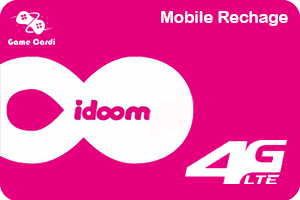
1500د.ج idoom 4G Lite
16.50 $
بطاقات شحن ايدووم
4G Lite
How to Redeem an Idoom 4G Lite Digital Card
Idoom 4G Lite is a prepaid internet service provided by Algérie Télécom, allowing users to recharge their Idoom 4G accounts easily with a digital card. Follow these steps to redeem your Idoom 4G Lite digital card:
Method 1: Via the Idoom 4G Portal
Connect to the internet using your Idoom 4G device.
Open your web browser and go to the official Idoom 4G portal: https://4glte.algerietelecom.dz.
Log in with your Idoom 4G account credentials.
Select Recharge or Top-up option.
Enter the recharge code from your Idoom 4G Lite digital card.
Confirm the redemption, and your balance will be updated.
Method 2: Via USSD Code (Mobile Recharge)
Dial *151# on your mobile device.
Choose the Recharge option from the menu.
Enter the recharge code when prompted.
Confirm, and your account will be credited.
Method 3: Via the Algérie Télécom Mobile App
Download the My Idoom app from Google Play Store or Apple App Store.
Log in with your Idoom 4G account.
Go to the Recharge section.
Enter the recharge code and confirm.
Once redeemed, your Idoom 4G Lite balance will be updated, and you can continue enjoying high-speed internet.
Related products